Django RAG — Knowledge Base
A multi-tenant Django application for ingesting documents and knowledge sources, building vector embeddings, and answering questions via Retrieval-Augmented Generation (RAG).
What it does
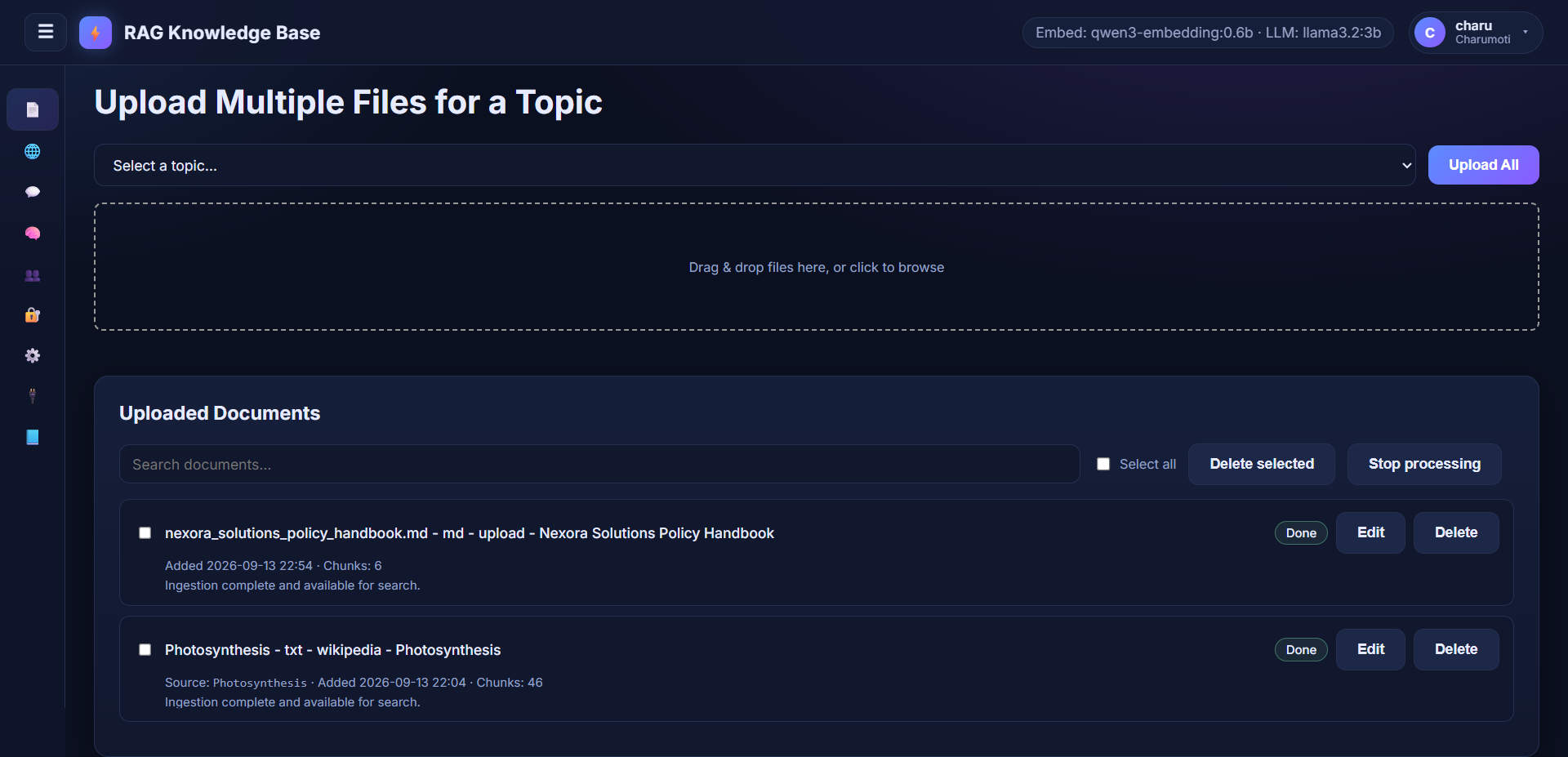
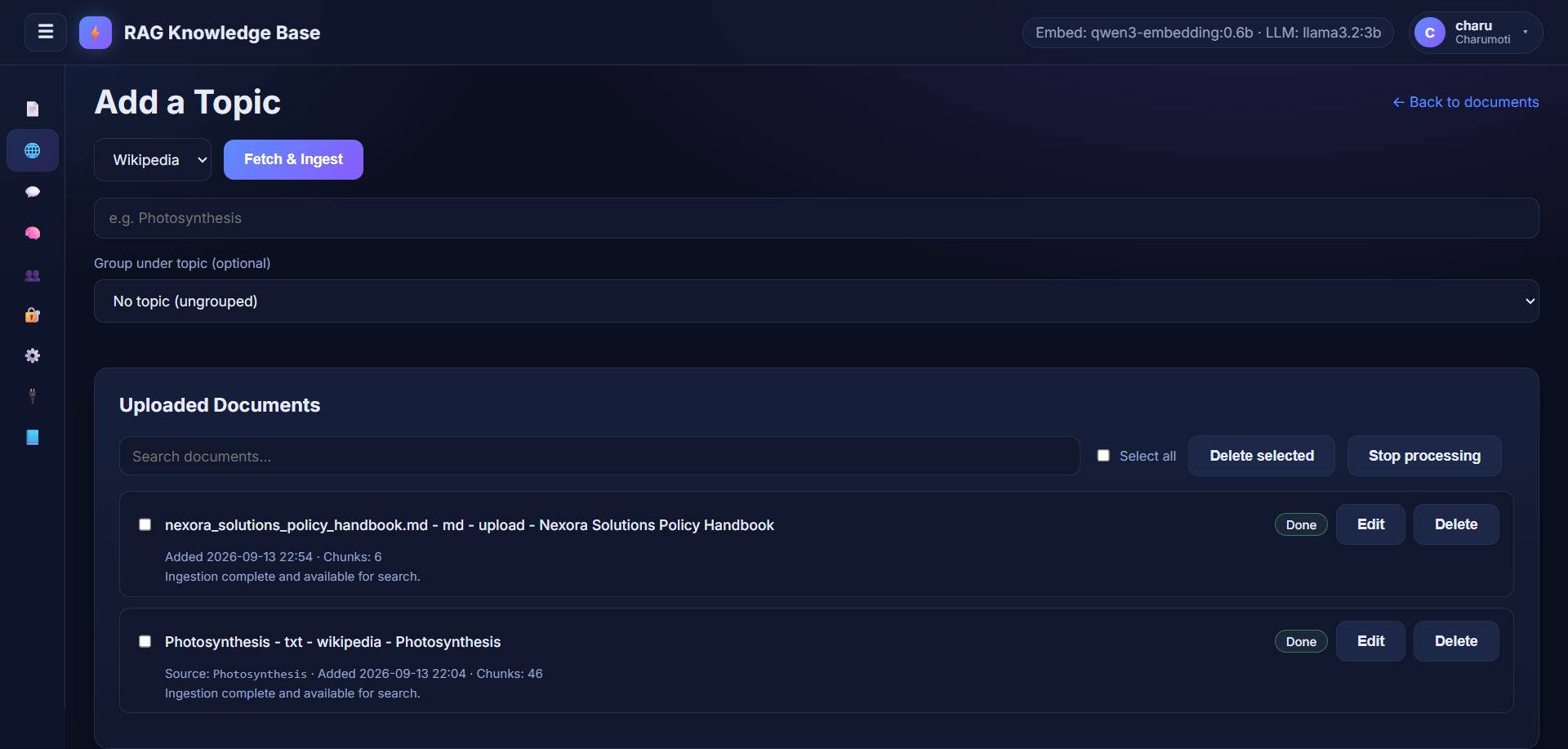
- Ingests documents (PDF, DOCX, Markdown, TXT, images via Tesseract OCR) and external sources (Wikipedia topics, web URLs, pasted text).
- Chunks text, embeds it, and stores vectors in PostgreSQL with pgvector.
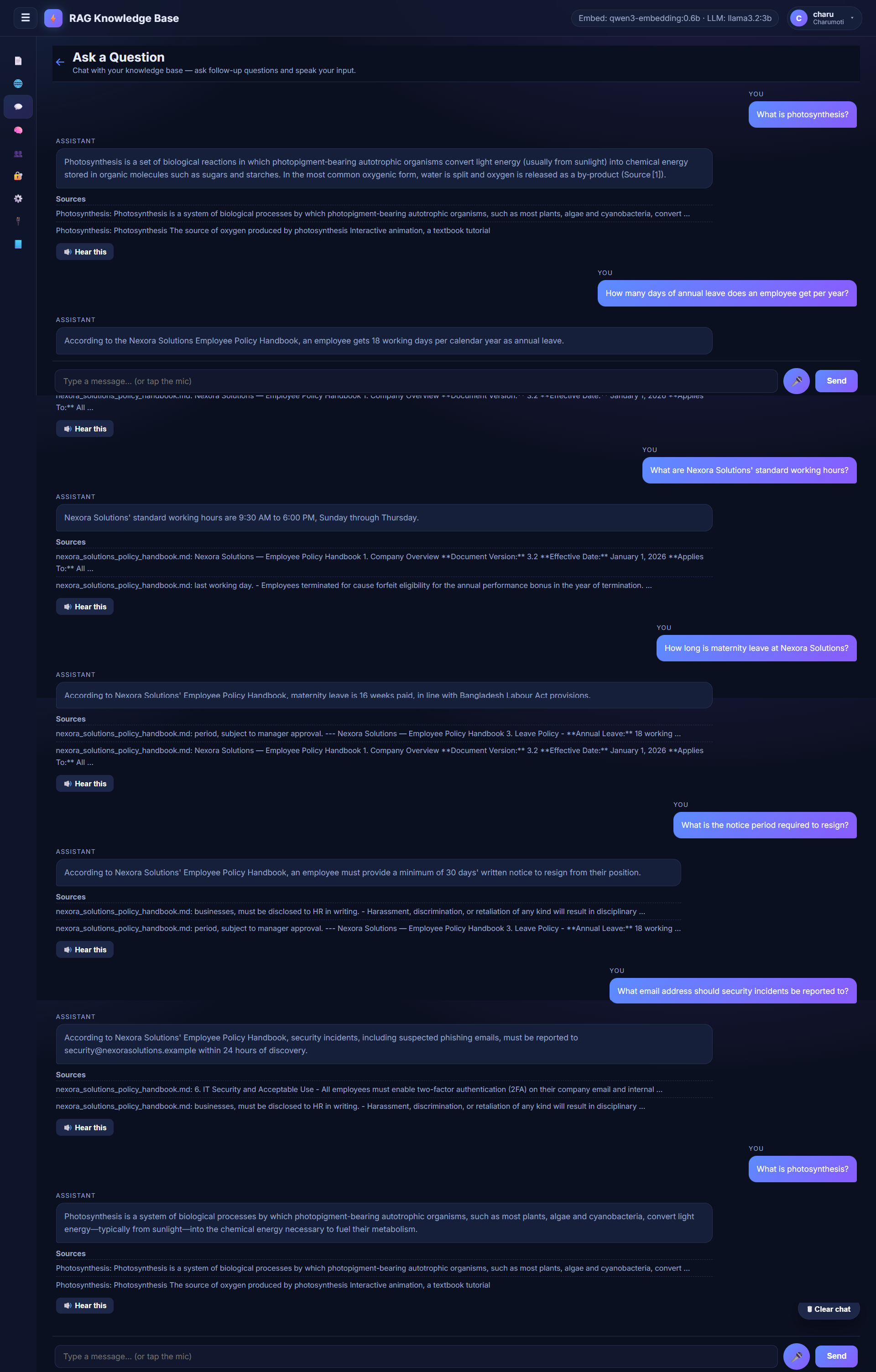
- Answers questions through an AI model, grounding responses in retrieved chunks and showing sources.
- Retrieves with hybrid search (vector + keyword full-text), fuses the two rankings, and re-ranks with a cross-encoder before answering.
- Falls back to live web search (Wikipedia / DuckDuckGo) when the knowledge base has nothing relevant — opt-in per company.
- Supports real-time streaming chat, voice transcription, and text-to-speech.
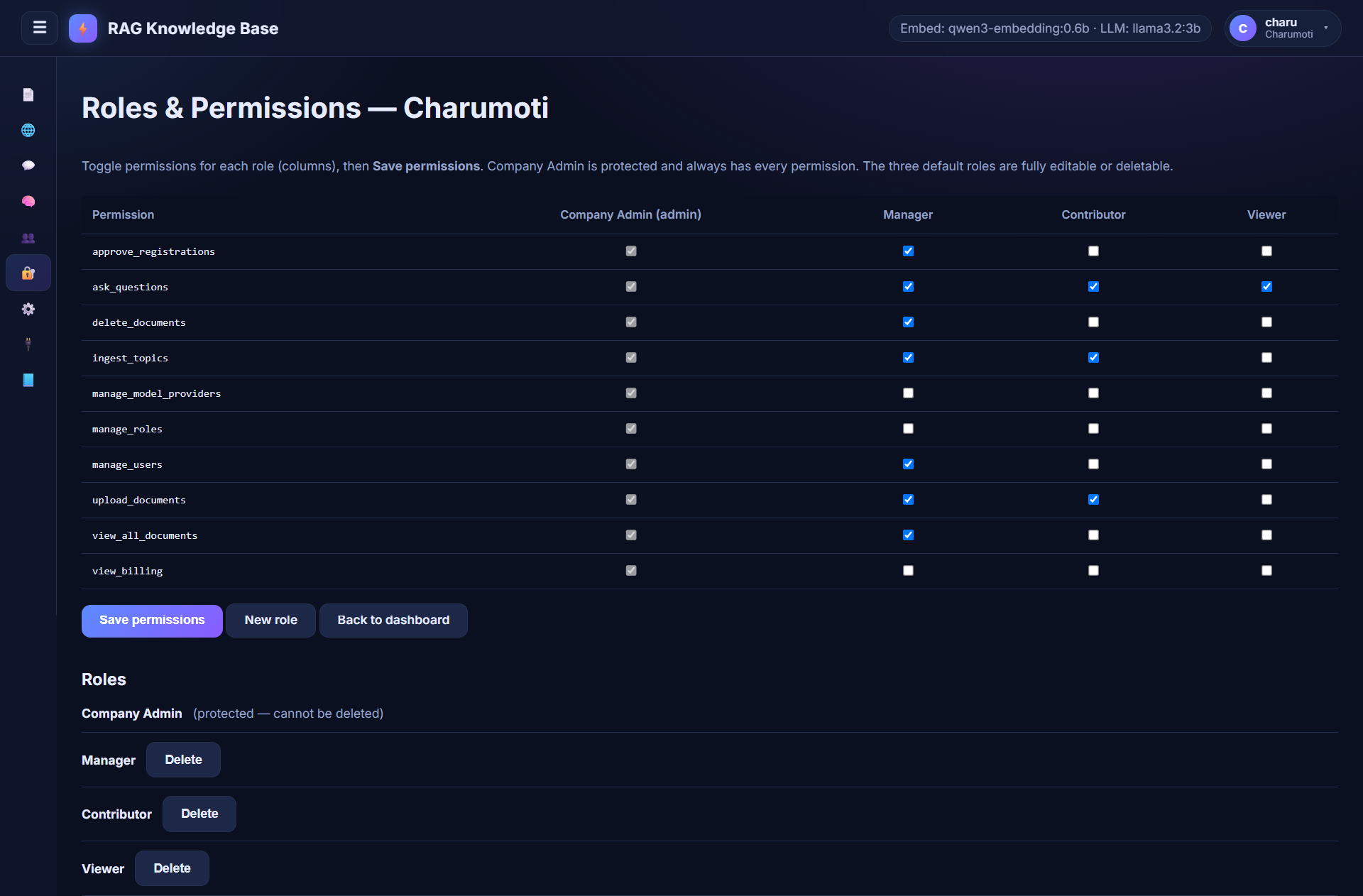
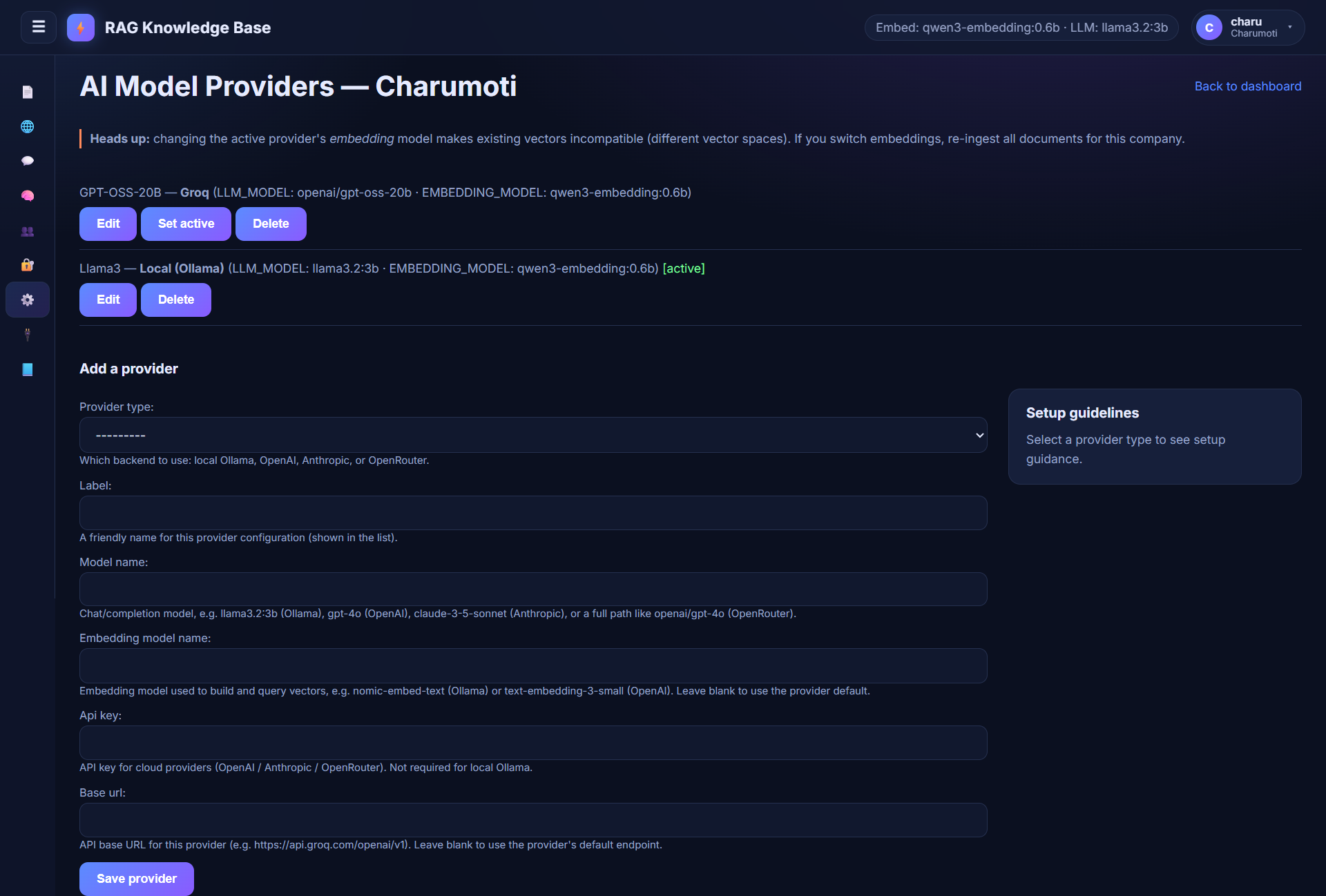
- Operates as a multi-tenant SaaS: companies, roles, permissions, and per-company model providers (Ollama, OpenAI, Anthropic, OpenRouter, Groq).
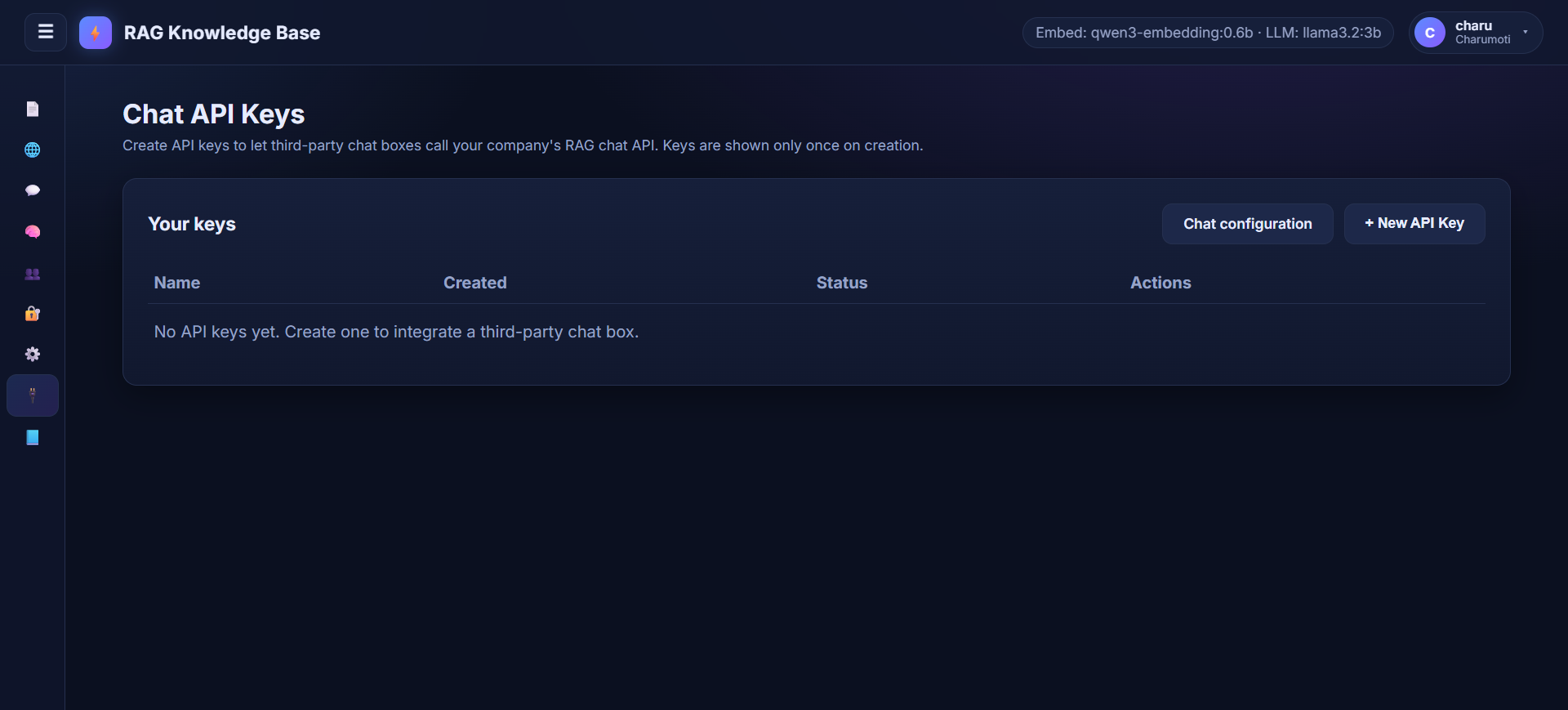
- Exposes a public HTTP API for third-party chat integrations, authenticated with per-company API keys.
Requirements
Services
|
Service |
Purpose |
|
PostgreSQL with pgvector |
Database, vector store, and django-q2 task broker |
|
Ollama |
Local LLM and embedding inference |
|
Tesseract OCR |
Extract text from image uploads (optional) |
Environment variables
.env is git-ignored and is not shipped with the repository — create it at the project root yourself. .env.production is also git-ignored, so treat the block below as the authoritative list. Values are read once at startup via core/settings.py; anything already present in the real environment wins (os.environ.setdefault).
SECRET_KEY=
DEBUG=1
ALLOWED_HOSTS=127.0.0.1,localhost,testserver

POSTGRES_DB=django_rag
POSTGRES_USER=postgres
POSTGRES_PASSWORD=postgres
POSTGRES_HOST=localhost
POSTGRES_PORT=5432

OLLAMA_BASE_URL=http://localhost:11434
OLLAMA_EMBED_MODEL=qwen3-embedding:0.6b
OLLAMA_LLM_MODEL=llama3.2:3b
OLLAMA_MAX_TOKENS=512
OLLAMA_EMBED_NUM_GPU=0

GROQ_API_KEY=
GROQ_LLM_MODEL=openai/gpt-oss-20b
GROQ_BASE_URL=https://api.groq.com/openai/v1

BANGLA_TTS_BACKEND=google-cloud

TESSERACT_CMD=C:\Program Files\Tesseract-OCR\tesseract.exe
ENABLE_LLAMAINDEX_INGEST=1
EMBED_DIM=1024

Q_CLUSTER_TIMEOUT=900
Q_CLUSTER_RETRY=1200
Notes:
OLLAMA_EMBED_NUM_GPU=0keeps embeddings on CPU so they never compete with the GPU-resident LLM for VRAM (swapping causes 8–45s cold-load latency per query).
OLLAMA_LLM_MODELdeliberately defaults to a non-thinking instruct model. Some Ollama builds ignorethink: falsefor Qwen3 and emit chain-of-thought as plain answer text with no<think>tags, which cannot be stripped.
BANGLA_TTS_BACKEND=google-cloudrequiresgoogle-cloud-texttospeechplusGOOGLE_APPLICATION_CREDENTIALS. If it is unavailable, Bangla falls back to gTTS automatically; English always uses gTTS.
EMBED_DIMmust match theChunk.embeddingcolumn and the LlamaIndex vector table. Changing it requires a migration and a full re-ingest.
GROQ_API_KEYis optional. When set it becomes a deployment-level secondary fallback for local Ollama.
Python
Dependencies are pinned in requirements.txt (note: the file is UTF-16 encoded). Notable packages:
- Django 6.0.7
- pgvector + psycopg2-binary
- LlamaIndex (core, Ollama embeddings/LLM, PGVector store, workflows, file readers)
- django-q2 (async task queue)
- faster-whisper (voice transcription)
- pypdf, python-docx, beautifulsoup4, lxml, pytesseract (ingestion)
- FlashRank (re-ranking)
- google-cloud-texttospeech / gTTS (TTS)
- pytest + pytest-asyncio (tests)
Setup
- Create a PostgreSQL database with the pgvector extension enabled.
- Install Python dependencies.
- Create
.envat the project root and fill in the variables above.
- Run migrations:
python manage.py migrate- Start the development server:
python manage.py runserver- In a second terminal, start the task worker. Ingestion is asynchronous — without this, documents stay
pendingforever:
python manage.py qcluster- Open
/accounts/register/to register a company (there is no page at/accounts/itself), then/to upload documents.
Ollama
Pull the required local models:
ollama pull llama3.2:3b
ollama pull qwen3-embedding:0.6b
Production deployment guidance lives in OllamaSetup.md (a local, git-ignored document — it is not part of the repository).
Architecture
Apps
core— Django project configuration, settings, and URL routing.
accounts— Authentication, multi-tenant companies, RBAC roles/permissions, model providers, and company membership approval flow.
knowledgebase— Document and topic management, RAG ingestion pipeline, question answering (standard and streaming), voice, and a secondary LlamaIndex index.
chat_api— Public API-key-authenticated chat endpoints (/api/v1/), the per-company chat configuration (system prompt, web-search toggle), and the API key management screens.
Multi-tenant model
All knowledge-base data is scoped to a Company. Every Document, Topic, and Chunk belongs to a company. Users belong to exactly one company through a Membership that carries a Role (the relation is OneToOne). Permissions are enforced at the view level via the require_permission decorator, and querysets are narrowed by DocumentManager.for_user() / TopicManager.for_user(). Superusers have no Membership, bypass tenant scoping, and act across companies through an "acting company" stored in the session.
Data models
|
Model |
App |
Key fields |
|
Company |
accounts |
name, slug, is_active, created_at |
|
Permission |
accounts |
code, label, description |
|
Role |
accounts |
company, name, permissions (M2M), is_default_admin_role |
|
Membership |
accounts |
user (OneToOne), company, role, status, decided_at, decided_by |
|
ModelProvider |
accounts |
company, provider_type, model_name, embedding_model_name, base_url, api_key, is_active |
|
Document |
knowledgebase |
title, file, file_type, source_type, source_reference, topic_group, extracted_text, status, company, uploaded_by |
|
Chunk |
knowledgebase |
document, content, embedding (vector, 1024 dims) |
|
Topic |
knowledgebase |
name, parent (self-FK), company |
|
CompanyApiKey |
chat_api |
company, name, key_hash, is_active, created_by |
|
CompanyChatConfig |
chat_api |
company (OneToOne), system_prompt, model_override, max_tokens, temperature, allow_web_search |
Async processing
Ingestion runs in the background via django-q2 using PostgreSQL as the broker (OrmQ). Document states: pending → processing → done | failed | cancelled. Ingestion acquires a per-document PostgreSQL advisory lock, re-checks the cancelled status between stages, and clears the LlamaIndex rows on delete so the secondary index stays consistent.
Retrieval pipeline
knowledgebase/rag.py — the full path from question to answer:
- Embed the question with the local Ollama embedding model (1024 dims).
- Vector search — pgvector cosine distance over
Chunk(HNSW index), top 30 candidates.
- Keyword search — PostgreSQL full-text (
tsvector+ GIN index), top 30.
- Relevance guard — if neither signal returns anything, or there are no keyword hits and the best cosine distance exceeds
RAG_RELEVANCE_DISTANCE, skip straight to the web fallback.
- Fuse the two ranked lists with Reciprocal Rank Fusion (k=60).
- Re-rank the fused pool with a FlashRank cross-encoder (
ms-marco-MiniLM-L-12-v2) and keep the topRAG_TOP_K(5).
- Web fallback (opt-in) — if the best chunk looks unrelated to the question, fetch 1–2 live pages and place them ahead of the weak KB chunks.
- Answer with a strict context-only prompt that cites source titles, optionally prefixed by the company's custom system prompt. Only the last 10 conversation messages are sent.
Tunable constants at the top of the retrieval section in rag.py:
|
Constant |
Default |
Meaning |
|
|
5 |
Chunks finally passed to the LLM |
|
|
30 |
Candidates fetched before re-ranking |
|
|
1.0 |
Max cosine distance for the best chunk |
|
|
2 |
Sources shown in the UI |
Text is chunked at 200 words with 40 words of overlap (chunk_text).
Permissions
Permission codes (fixed catalog, seeded by migration — never created by hand):
|
Code |
Enforced in views |
|
|
yes |
|
|
yes |
|
|
yes |
|
|
yes |
|
|
yes |
|
|
yes |
|
|
yes |
|
|
no — declared but unused |
|
|
no — declared but unused |
|
|
no — placeholder |
Default roles created for each company: Company Admin, Manager, Contributor, Viewer. Company Admin is protected from deletion so a company always keeps at least one admin.
API endpoints
Knowledge base UI
|
URL |
Method |
Purpose |
|
|
GET/POST |
Upload documents |
|
|
GET/POST |
Alias of |
|
|
GET/POST |
Ingest Wikipedia / URL sources |
|
|
GET/POST |
Ask a question (also the voice/AJAX path) |
|
|
POST |
SSE streaming chat |
|
|
GET/POST |
Clear the session chat history |
|
|
POST |
TTS endpoint (returns an audio URL) |
|
|
GET/POST |
LlamaIndex-backed QA (secondary index) |
|
|
GET/POST |
Edit a document / re-upload / reprocess |
|
|
POST |
Delete a document |
|
|
POST |
Cancel processing |
|
|
POST |
Retry a failed document |
|
|
POST |
Bulk delete |
|
|
POST |
Bulk cancel |
Accounts & management
|
URL |
Purpose |
|
|
Register a new company (becomes Company Admin) |
|
|
Request to join an existing company (pending) |
|
|
Pending-approval holding page |
|
|
Post-login entry point, routes by membership status |
|
|
Profile and password change |
|
|
Approve members, assign roles |
|
|
Role and permission management |
|
|
Configure LLM/embedding providers (the second URL returns model suggestions as JSON) |
|
|
Manage public API keys |
|
|
System prompt, model override, web-search toggle |
|
|
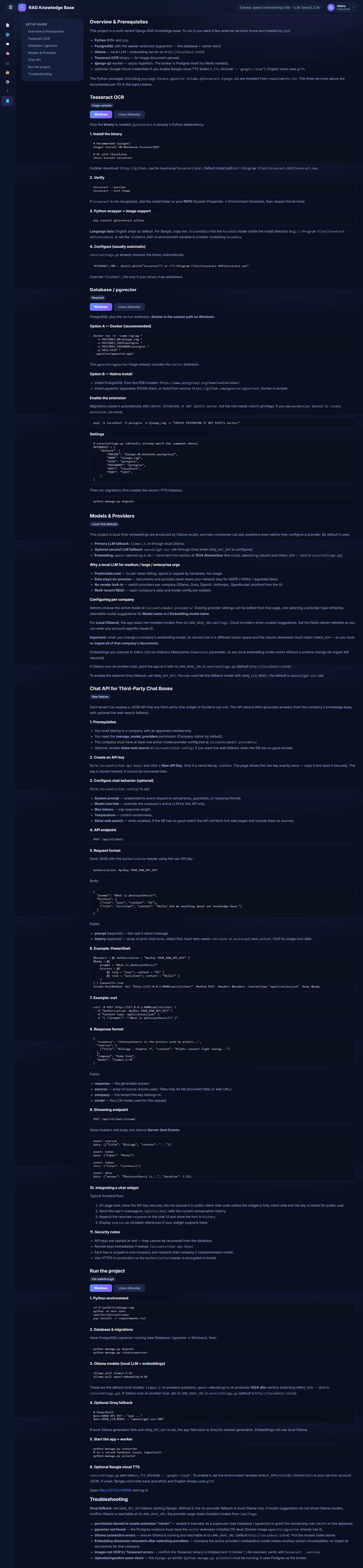
Setup / operations guide |
|
|
Auth |
|
|
Django admin |
Public API (/api/v1/)
Authenticate with an Authorization: ApiKey <key> header. Keys are created on the API-keys screen and only the SHA-256 hash is stored.
|
URL |
Method |
Purpose |
|
|
POST |
Ask a question. Body: |
|
|
POST |
Same, as Server-Sent Events ( |
debug: true adds a debug block describing the web-search decision. Note this re-runs the web fetch, so it costs an extra round trip.
AI providers
Configured per company through the UI or admin. Supported provider types:
- Local Ollama
- OpenAI
- Anthropic (Claude)
- OpenRouter
- Groq
Chat model and embedding model are decoupled. The LLM is chosen by the company's active ModelProvider, but embeddings are always produced by the local Ollama embedding model (OLLAMA_EMBED_MODEL) regardless of tenant configuration. This keeps every vector in the knowledge base comparable — mixing embedding models in one column would silently degrade retrieval.
If no provider is active, the deployment falls back to local Ollama, with an optional Groq secondary when GROQ_API_KEY is set. Cloud providers get a local Ollama fallback with a notice prepended to the answer.
api_key values are stored via EncryptedCharField, which signs and base64-encodes the value with SECRET_KEY using django.core.signing. This is obfuscation, not encryption — the plaintext is recoverable from the database, and rotating SECRET_KEY invalidates every stored key.
Web search
Off by default, enabled per company via CompanyChatConfig.allow_web_search.
When the knowledge base returns nothing relevant, the pipeline queries Wikipedia's opensearch API and then DuckDuckGo's HTML endpoint, fetches up to 2 pages, strips navigation/scripts, and injects the text as leading context (capped at max_chars=12000 per page). The fetched pages are surfaced in the source list as their URLs.
Vector search
Embeddings are produced by the local Ollama model, coerced to the column dimension (EMBED_DIM, default 1024) via Matryoshka dimensions where the model supports it. Retrieval uses cosine distance on pgvector with an HNSW index (vector_cosine_ops, m=16, ef_construction=64). A secondary LlamaIndex PGVector index (llamaindex_vectors) powers only /ask-llamaindex/ and can be disabled with ENABLE_LLAMAINDEX_INGEST=0.
Testing
# Django test runner — provider, source-filtering, web-fallback merge tests
python manage.py test

# Public API tests (pytest style)
pytest chat_api/tests.py
chat_api/tests.py uses pytest fixtures and requires pytest-django, which is not currently in requirements.txt and there is no pytest.ini/conftest.py. Until that is added, those tests cannot be collected.
Development notes
- Migrations live under
knowledgebase/migrations/andaccounts/migrations/.
- The
EncryptedCharFieldavoidsdjango-cryptographydue to compatibility with Django 6.0.
- Tesseract path is configurable via
TESSERACT_CMD.
- Session chat history is capped at 24 messages (12 exchanges); only the last 10 messages are sent to the model. The public API accepts up to 12 exchanges.
Document.file_typeis inferred from the extension. Onlypng/jpg/jpegare treated as images — other image formats fall through to plain-text reading.
STATIC_ROOTis not set, socollectstatic(used by the deploy workflow) will fail until it is configured.
Document.topic_groupstores the topic name as a string rather than a foreign key, so renaming a topic does not update already-grouped documents.
- The deploy workflow (
.github/workflows/deploy.yml) runs on push tomain:git reset --hard,pip install,migrate,collectstatic, then restarts theknowledgebaseandknowledgebase-qclustersystemd services.